Microsoft Fabric and Power BI — From data to decisions.

Power BI — Data analysis and visualization

Power BI is Microsoft's modern analytics tool that connects data sources, models them and transforms them into clear reports and interactive dashboards. It enables data-driven decisions in real time, sharing results across the team (Power BI Service) and leveraging built-in AI analytics and Copilot — from Excel through SQL and Azure to business systems.

Key features:

Power BI in brief (video)

A brief introduction to Power BI: how to connect data sources, build a model, create visualizations and publish reports in the cloud. The video excellently demonstrates the basic workflow from data to decisions.

Power BI products

Power BI Desktop

A free Windows application for data modelling, building reports and testing. Ideal for preparing models, creating DAX measures and shaping data in Power Query.

  • Data modelling and DAX
  • Power Query (ETL) and connecting multiple sources
  • Local report prototyping

Power BI Pro

A user licence for publishing, sharing and collaborating on reports in the Power BI Service cloud. Enables refresh schedules, dashboard sharing and row-level security (RLS).

  • Report publishing and sharing
  • Data refresh schedules
  • Security: RLS, workspaces, sharing

Microsoft Fabric (Power BI in Fabric)

A unified analytics platform encompassing lakehouse, pipelines, data engineering and Direct Lake for Power BI. Enables end‑to‑end analytics: from ingestion, through storage, to visualizations in one environment.

  • OneLake and Lakehouse
  • Direct Lake for ultra-fast reports
  • Notebooks, pipelines and integrations

Power BI version comparison

FeatureDesktopProFabric
Data modelling, DAX✔️✔️✔️
Report publishing and sharing✔️✔️
Automatic data refresh✔️✔️ (advanced)
Advanced AI analytics, Copilot✔️ (partial)✔️ (full support)
OneLake, Lakehouse, Direct Lake✔️

Integration with Microsoft Dynamics 365 Business Central

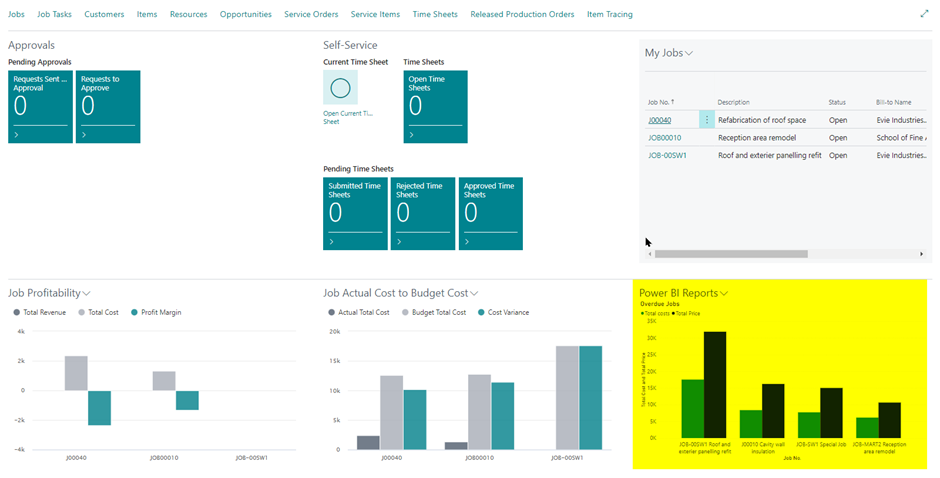
Power BI integration with Business Central

We integrate Power BI with Business Central systems: from ready-made OData/API connectors, through standard models, to dedicated reports and dashboards for finance, sales, purchasing, warehouse and production. We provide RLS configuration, access security and automatic refresh.

  • Quick start on BC data (Company, G/L, Customers, Vendors)
  • Dimension, currency and calendar mapping
  • Efficient refresh: incremental refresh, on-prem gateway

Copilot in Power BI

Copilot supports report creation using natural language: you describe your data and questions, and the assistant generates visualizations, measures and narratives. It accelerates analysts' work and facilitates self‑service BI across teams.

See Copilot in action: the video shows how quickly you can generate reports, measures and insights using natural language. Thanks to Fabric integration, the analysis process is even faster and more intuitive.

Ideal for:

Microsoft Fabric – comprehensive data and analytics platform
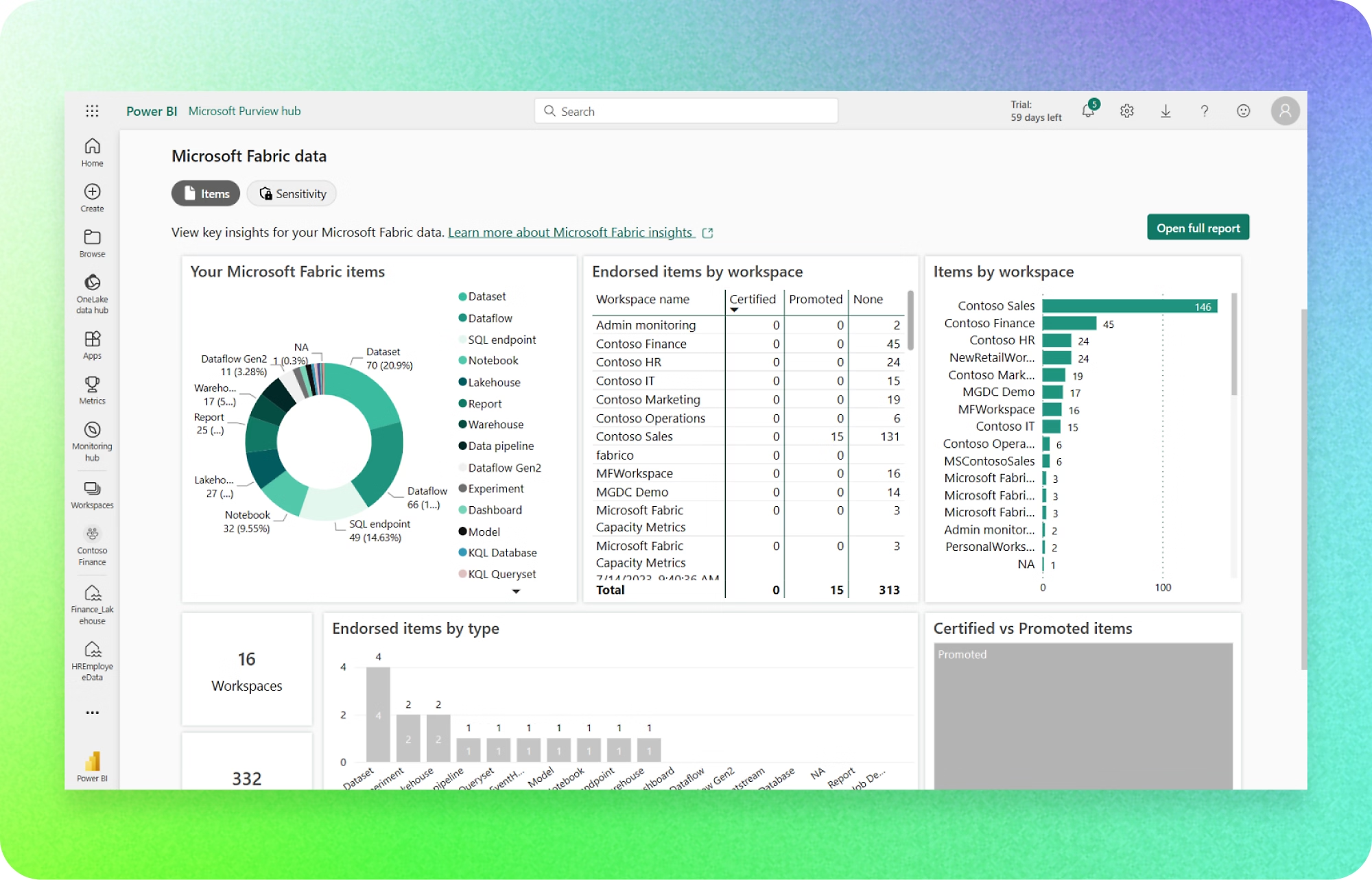
Microsoft Fabric is an all-in-one cloud analytics platform. It covers the full data lifecycle — from ingestion and integration, through lakehouse OneLake and processing (Data Engineering / Data Factory), to data warehouses (Warehouse), real-time analytics (Real-Time Intelligence) and visualizations in Power BI, with built-in Copilot and data governance in Microsoft Purview.

Microsoft Fabric — OneLake, Lakehouse, Copilot and Power BI in one environment

Main Fabric modules

  • OneLake — a shared, open data lake for the entire organisation.
  • Lakehouse and Warehouse — large-scale analytics in lake model and/or classic DWH.
  • Data Factory and Data Engineering — flows, pipelines, transformations, notebooks.
  • Real-Time Intelligence — events, IoT, streaming and live dashboards.
  • Power BI with Direct Lake mode — ultra-fast visualizations without import.
  • Copilot and AI features — natural language query, model and description generation.
  • Governance in Purview — classification, lineage, access policies.

Getting started resources

Ideal for:

  • Companies looking to unify multiple data sources and accelerate analytics.
  • BI teams already using Power BI and needing scale (Direct Lake).
  • Organisations building a shared data catalogue with governance and compliance (Purview).
  • Projects requiring real-time analytics and IoT integration.
  • Multi-department environments where collaboration and data security are paramount.