Azure Virtual Desktop — remote work at the highest level
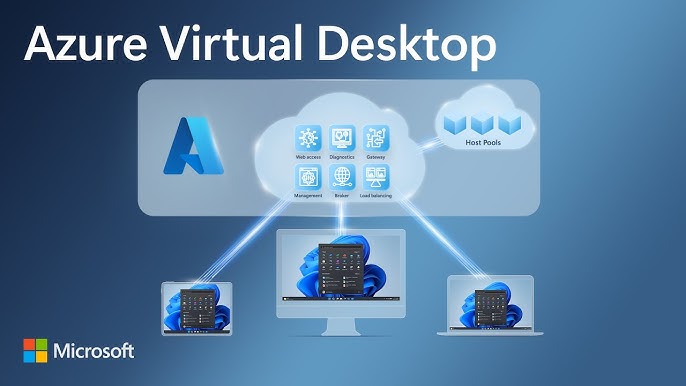
What is Azure Virtual Desktop?
Azure Virtual Desktop (AVD) is a scalable Microsoft service that enables publishing full Windows 10/11 desktops and applications from Azure cloud. With centralized management, user profiles (FSLogix) and built-in security mechanisms, it delivers high performance and stability for teams working remotely or in hybrid mode — from any device.
Use cases
Remote & hybrid teams
Constant access to the company environment and applications without VPN and secure resource sharing.
Power and security-intensive applications
CAD, financial, medical — running in Azure, accessed from a lightweight device.
Seasonality & rapid scaling
Add/remove resources in minutes. Pay only for usage.
Standards & compliance
Central policies, GDPR/ISO compliance, audit and access control.
Key features
- Windows 10/11 multi-session and application publishing (RemoteApp)
- User profiles with FSLogix — fast login and consistent state between sessions
- Multi-platform access: Windows, macOS, iOS, Android and browser
- Integration with Microsoft 365 (Teams optimized for AVD, OneDrive, SharePoint)
- Host pool scaling, automatic VM wake/sleep (cost savings)
- Centralized image management (Shared Image Gallery) and updates
- Built-in security mechanisms: MFA/Conditional Access (Entra ID), Defender
- Session monitoring and diagnostics (Azure Monitor, Insights) + alerts
Benefits in practice
Performance & UX
Multimedia handling, graphics optimizations, Teams AV redirection, low login time with FSLogix.
Security
Zero-trust: Conditional Access, PIM, network segmentation, Defender, device and data control.
Costs under control
Scale up/down, schedules, reservations and VM auto-shutdown automation — FinOps in practice.
Simple management
Image standardization, policies, updates and monitoring in one place.
Security & management
- Microsoft Entra ID: MFA, Conditional Access, PIM (just-in-time, least privilege)
- Defender for Cloud and MDE: host protection, compliance, recommendations and responses
- Network isolation (NSG/Azure Firewall), private endpoints, data protection
- SIEM/SOAR integration — Microsoft Sentinel and automated playbooks
Deployment models
Shared desktops
Best TCO — multiple users on one host (Windows multi-session).
Dedicated desktops
Individual VMs for demanding use cases or specific applications.
RemoteApp
Publishing individual applications instead of full desktops — lower resource usage.
Key takeaways
- AVD combines the full Windows experience with the flexibility and security of Azure.
- FSLogix profiles and Teams optimizations improve performance and UX.
- Scaling and automation realistically reduce costs (FinOps).